GuideRegister a new domain, or transfer domain names to MariHost
Last updated: 30 October 2026
A domain is your address on the web, such as yourbusiness.com. This guide shows how to register a new domain in our shop, and how to transfer a domain you already own from another company to MariHost, so your domain and hosting are in one place. Registering takes about five minutes. A transfer takes a few minutes to order, then some days to complete.
You don't have to transfer a domain to use our hosting: you can keep it where it is and point it to MariHost instead.
Register a new domain
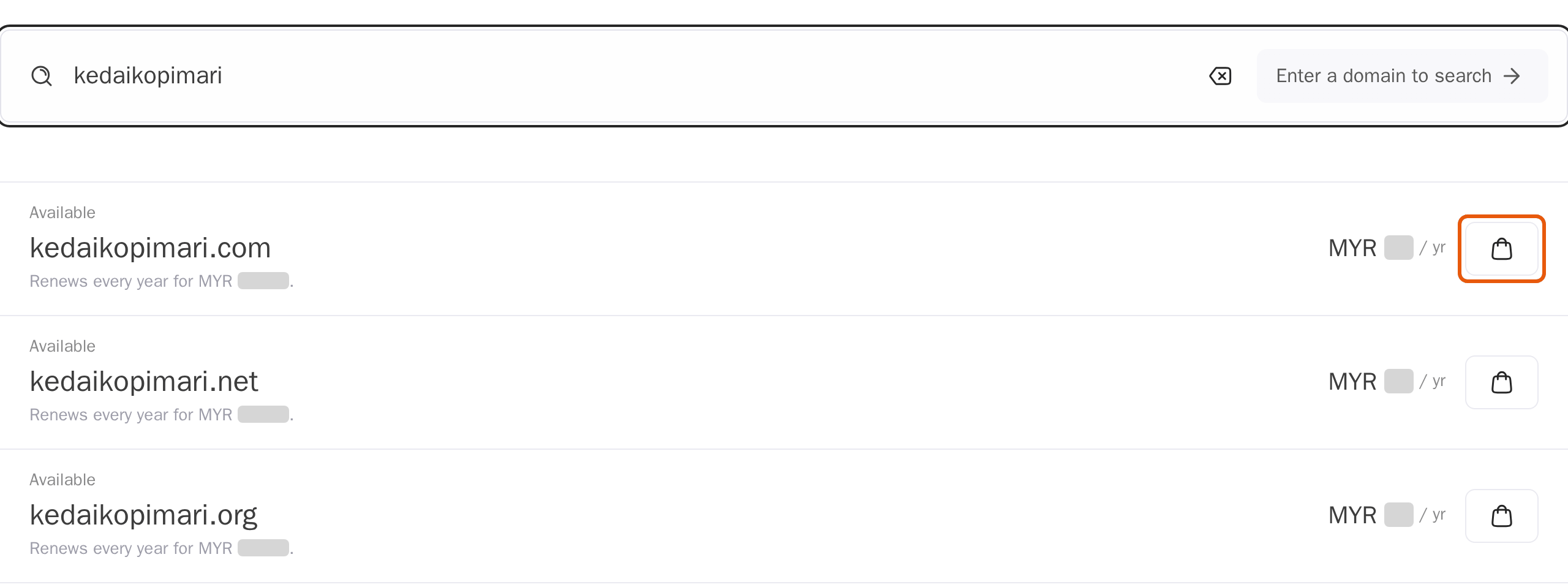
1. Search for the name
Open the Domain Names section of our shop, or use the search on our Domains page. Type the name you want, without "www", and press Enter.
Each name shows whether it's Available and its price a year, which is also what it renews at.
2. Add it to your basket
Click the basket button next to the name you want. Want more than one ending, such as .com and .my? Add each one. Then click Continue at the bottom.
Before you transfer a domain
At the company where your domain is registered now:
- Unlock the domain. Most registrars lock domains against transfers; the setting is usually called "Domain lock" or "Transfer lock".
- Get the transfer code, also called the EPP or auth code. Your registrar must give it to you within 5 days of asking.
- Check the dates. A registrar can refuse a transfer within 60 days of the domain being registered or last transferred. Changing the owner's name, organisation or email also locks transfers for 60 days, so make those changes afterwards.
- Check the owner's email address, in case your registrar emails you to approve the transfer.
Transfer domain names to MariHost
1. Search for your domain
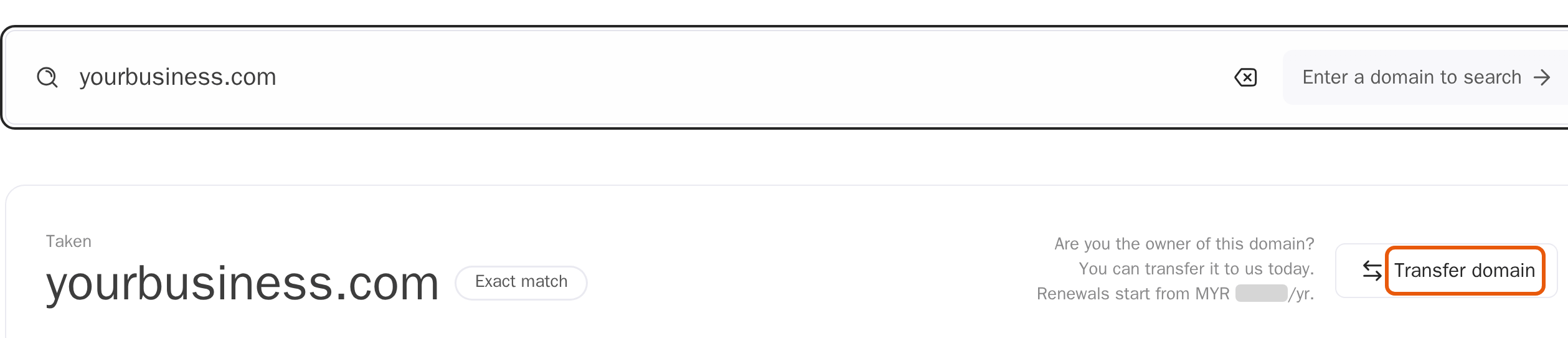
Search for your domain in the shop, as above. It shows as Taken, with "Are you the owner of this domain? You can transfer it to us today."
2. Click Transfer domain
Click Transfer domain, then Continue. A transfer costs the same as a year's registration, and for most endings it adds a year to your domain.
Fill in the domain's details
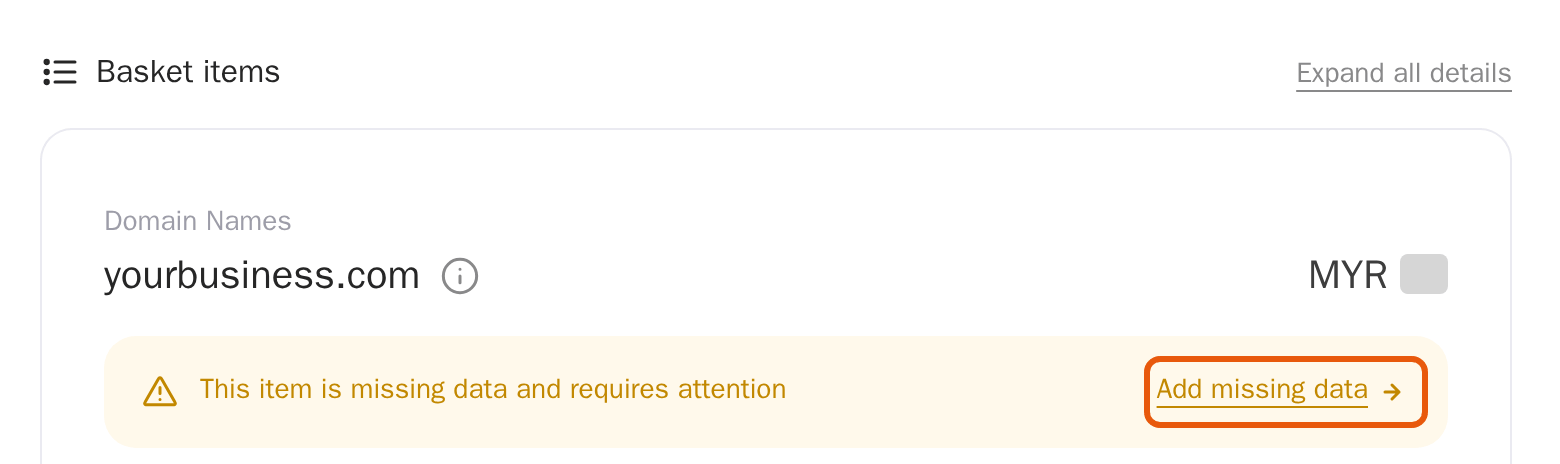
Your basket shows each domain with "This item is missing data and requires attention". Click Add missing data.
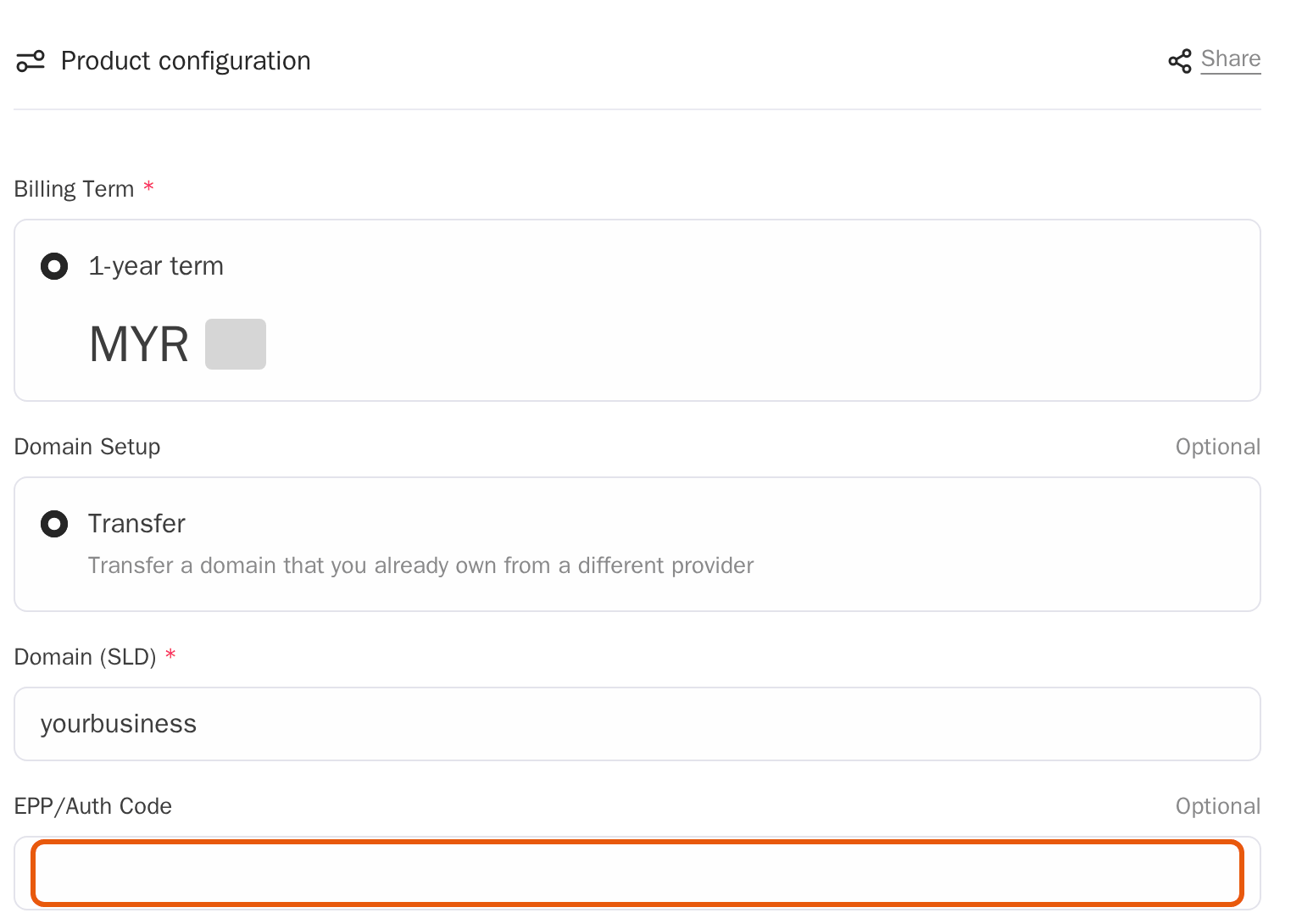
- For a transfer, paste the transfer code into EPP/Auth Code.
- Registrant: the domain's legal owner. Fill in your name, or your company's name as the organisation, then the email address, phone number and address. Use real, current details: the domain is registered to them, and they prove it's yours.
Click Confirm, and you're back in your basket.
Check out
Click Proceed to checkout. Sign in, or create an account if you're new: Order a plan and start a free trial shows the account form. Then pay by card.
A domain can't be refunded once it's registered, so check the spelling before you pay.
After you order
- A new domain usually works within a few hours.
- A .my domain: MYNIC, the registry for .my, can ask for documents first. We tell you exactly what's needed, and the domain is registered once MYNIC has checked them.
- A transfer takes some days. Your current registrar may email you to approve it, and your website and email keep working while it moves.
- Renewals: we email you before your domain expires, and the saved card is charged when it renews.
- Privacy: domain privacy, which hides your details from the public WHOIS lookup, is available for the endings whose registry allows it. Ask us in a ticket.
What's next
- Use the domain with your hosting: Point your domain to MariHost
- Add email on your domain: Create an email account, and use webmail
- Manage its records: Manage DNS records
Need a hand with a transfer?
Open a ticket and we'll check your domain is ready to move.
Keep reading
Point your domain to MariHost
Nameservers or DNS records: which to use, and how to change them at your registrar.
Read the guideManage DNS records
What A, CNAME, MX and TXT records do, and how to add, change and delete them.
Read the guideCreate an email account, and use webmail
A mailbox on your own domain in a couple of minutes, and your email in any browser.
Read the guide